Music Festival Tycoon Festival Build Guide
Design a profitable Live Nation festival layout — stages, vendors, crowd flow, and expansion without wasting coins.
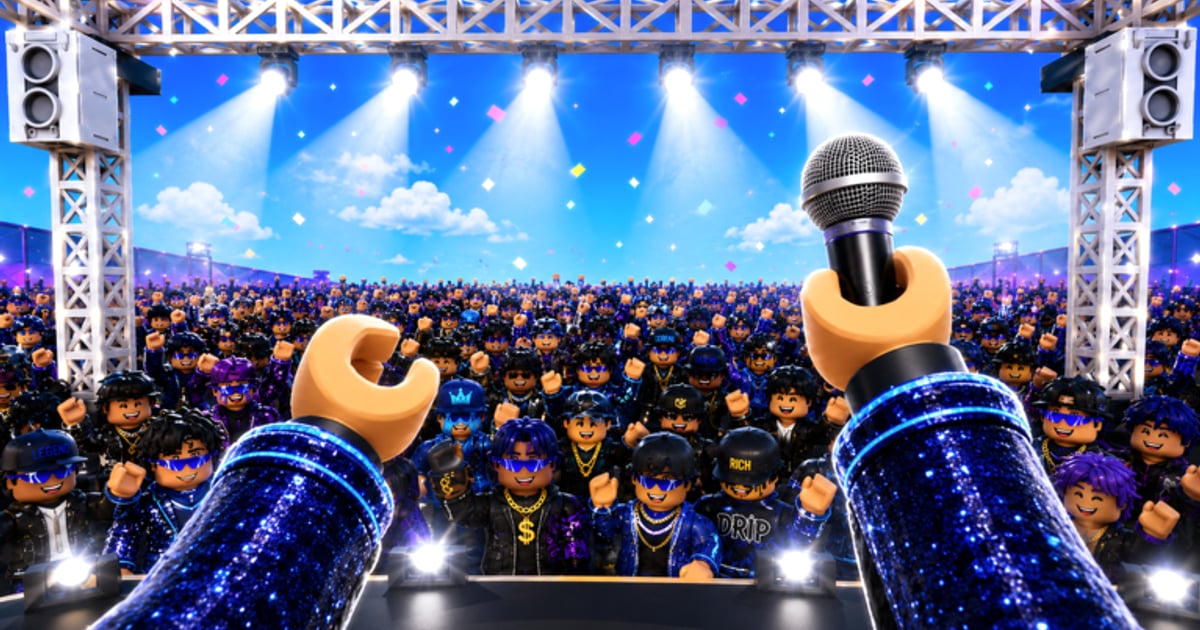
A great playlist means nothing if your festival map is a maze of blocked paths and misplaced merch booths. Music Festival Tycoon rewards thoughtful layout the same way real Live Nation productions reward gate flow and vendor density. This guide covers stage placement, plot expansion timing, vendor routing, and aesthetic choices that still respect the coin math — especially while the 2X COINS launch event doubles every efficient upgrade. Whether you are building your first Rock stage or theming an entire plot for Lollapalooza, these principles keep income high and rebuild costs low.
New players should complete Getting Started and skim Controls before rearranging structures. Pair layout decisions with Earn Coins priorities and Genres lane traits.
Core layout philosophy
Sawhorse Interactive tycoons on Roblox (Place ID 105896604492658) typically use plot grids with purchase pads at fixed anchors. You cannot freely drag buildings like a city builder — you choose which upgrade fires next and when to expand territory. That means planning beats improvising:
- Central spine — One main walkway from gate to headline stage. All side attractions branch off this spine so visitors pass merch and food.
- Genre districts — Cluster Rock, Hip Hop, EDM, Country, and K-Pop zones by theme instead of scattering stages randomly. Coherent districts unlock stronger audience reactions in event missions.
- Collector coverage — Conveyors and auto-collectors should touch every coin spawn. Gaps mean lost income, painful during 2X COINS.
- Expansion outward — Push new plot purchases to the back of your festival, keeping the gate area stable so returning players recognize routes.
Stage placement by genre
Each genre stage has different footprint sizes and animation flair:
Rock stage
Rock structures often use wide horizontal stages with pyrotechnic props. Place Rock near the headline end of your spine — it reads as the main act and draws crowds through earlier vendors.
Hip Hop stage
Hip Hop setups may include shorter catwalks or DJ risers. Tuck them on side branches with good camera sightlines for performance animations; active players benefit from visible show timers discussed in Unlock Artists.
EDM stage
EDM zones shine with light rigs and speaker stacks — usually tall assets. Keep EDM stages away from plot edges where camera clipping frustrates mobile players using touch controls from Controls.
Country stage
Country barns and hay-bale decor fit rustic side districts. Pair with themed merch (boots, hats) on the same branch for synergy noted in Earn Coins.
K-Pop stage
K-Pop stages lean neon and compact. They work well as mid-spine attractions during CORTIS Collaboration events when artist objectives reward vibrant districts.
Full genre economics live in Genres — layout and genre choice are inseparable.
Vendor and merch placement
Merch booths, beverage stands, and VIP lounges scale with foot traffic, not raw upgrade level alone:
- Place two vendor types before duplicating either — variety may trigger bonus ticks in some Sawhorse tycoons.
- Put high-margin VIP zones near the headline stage where virtual crowds congregate after shows.
- Never block a purchase pad with decorative props — if you cannot click a pad, you cannot reinvest.
- Re-route paths after plot expansion instead of rebuilding vendors from scratch.
Plot expansion timing
Buying new land too early spreads coin thin; buying too late caps income during events:
| Signal | Action |
|---|---|
| All visible pads maxed on current plot | Expand |
| Coin balance growing without upgrades | Expand or unlock new genre |
| 2X COINS active with 2+ idle pads | Expand immediately |
| Event requires specific structure | Pause expansion; build event asset first |
| Rebuild refunds below 80% | Avoid demolition; plan better |
Event guides like Lollapalooza Event sometimes add temporary structures — reserve corner pads so limited assets do not force expensive relocations.
Theming without sacrificing income
Live Nation branding encourages realistic festival aesthetics — fencing, flag poles, sponsor boards. Follow this rule: every decorative purchase must sit off the main path or attach to walls that do not block pads.
Collaboration skins (CORTIS banners, Lollapalooza arches) often grant objective credit beyond looks. During events, prioritize themed props that complete missions even if they clutter side areas temporarily.
MashUpHeaval, the fictional headliner in promotional material, may eventually add oversized stage backdrops — leave headline wall clearance on your primary plot.
Multiplayer and public server considerations
Music Festival Tycoon is an online Roblox experience. Public servers add dozens of avatars walking through your plot:
- Wider paths reduce avatar collisions that block your clicks.
- Avoid micro-corridors between stages — other players get stuck, and so do you.
- Private servers with friends trade ambient crowd for cleaner building sessions.
Common layout mistakes
| Mistake | Fix |
|---|---|
| Headline stage at the gate | Move headline to far spine; force vendor pass-through |
| Five genres before any maxed | Max one lane first per Earn Coins |
| Ignoring auto-collector gaps | Walk coin routes manually once per session |
| Demolishing for aesthetics mid-2X | Wait until event ends unless collaboration requires it |
| Copying Chainsmokers Festival Tycoon maps | Wrong game — Place ID 9648883891 layouts do not translate |
Sample progression blueprint
Phase 1 — Gate to first headline (first hour)
Gate → ticket upgrades → single genre stage max → one merch branch → basic collector loop.
Phase 2 — District expansion (hours 2–5)
Second genre side district → VIP near headline → plot expansion back wall → artist booking from Unlock Artists.
Phase 3 — Event theming (launch window)
CORTIS district accents → Lollapalooza signage on spine → reserve pad for MashUpHeaval-scale props → tune paths before 2X COINS ends.
Adjust using Tier List rankings as metas settle and Updates patch pad costs.
Related resources
- Guides Hub — All eight walkthroughs indexed
- Codes — No layout shortcuts from codes yet
- Official Links — Verified game page and community channels
- Players — Creators showcasing high-efficiency festival designs
Build like a promoter, not a hoarder — every pad should either earn coins or move crowds past something that does.
Frequently Asked Questions
Quick answers to the most common questions.
What is the best festival layout in Music Festival Tycoon?
Use a central walkway from gate to headline stage, branch genre districts off the sides, place merch on main paths, and expand plot only when current pads are maxed. This maximizes foot traffic and collector coverage.
When should I expand my plot?
Expand when all purchase pads on your current plot are maxed or when 2X COINS is active and you have no upgrades left. Early expansion spreads coins too thin.
How do genres affect building placement?
Each genre stage has different footprints — EDM rigs are tall, Country barns fit side districts, K-Pop stages suit neon mid-spine zones. Read the Genres guide before committing plot space.
Do collaboration events change my layout?
Yes. CORTIS and Lollapalooza events add themed structures and objectives that reward specific districts. Reserve corner pads so event props do not block purchase buttons.
Can I copy another player's festival design?
You can take inspiration from creators on the Players hub, but do not copy Chainsmokers Festival Tycoon layouts — that is a different game with separate mechanics.